buzzfeed Press
I Was Today Years Old When I Learned About These 22 "Hidden Features" Of My iPhone
Images
1 / 20
2 / 20

3 / 20
4 / 20
5 / 20
6 / 20
7 / 20
8 / 20
9 / 20
10 / 20

11 / 20
12 / 20
13 / 20
14 / 20
15 / 20
16 / 20
17 / 20
18 / 20

19 / 20
20 / 20
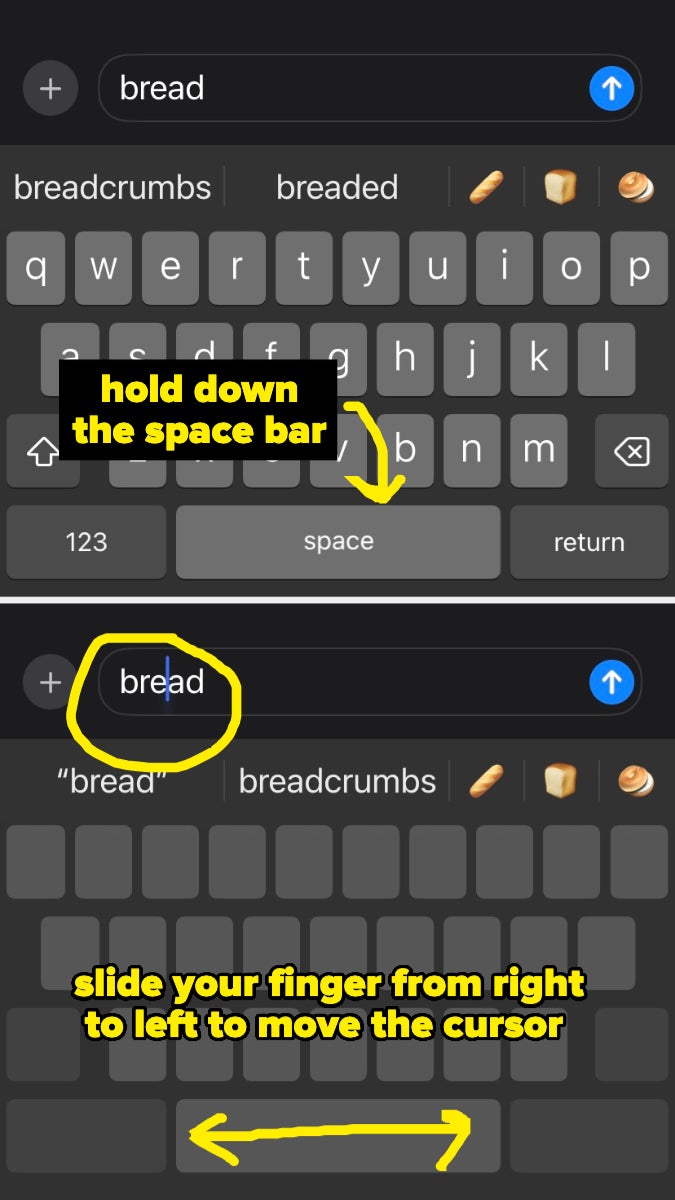
Sorry, what do you mean you can literally use your phone as a metal detector???

Angelica Martinez is the Latine Editorial Lead at BuzzFeed and covers a little bit of everything, from quizzes and true crime to celebrities and pop culture.

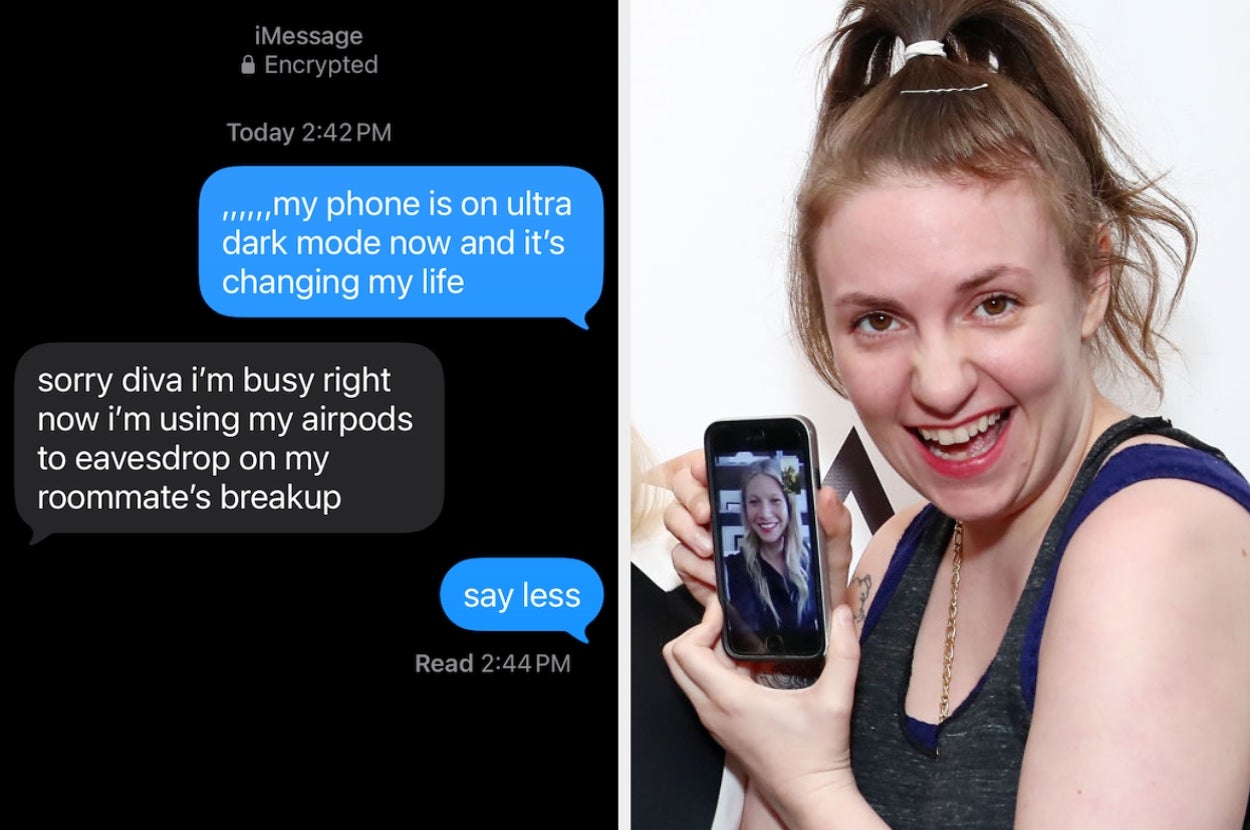
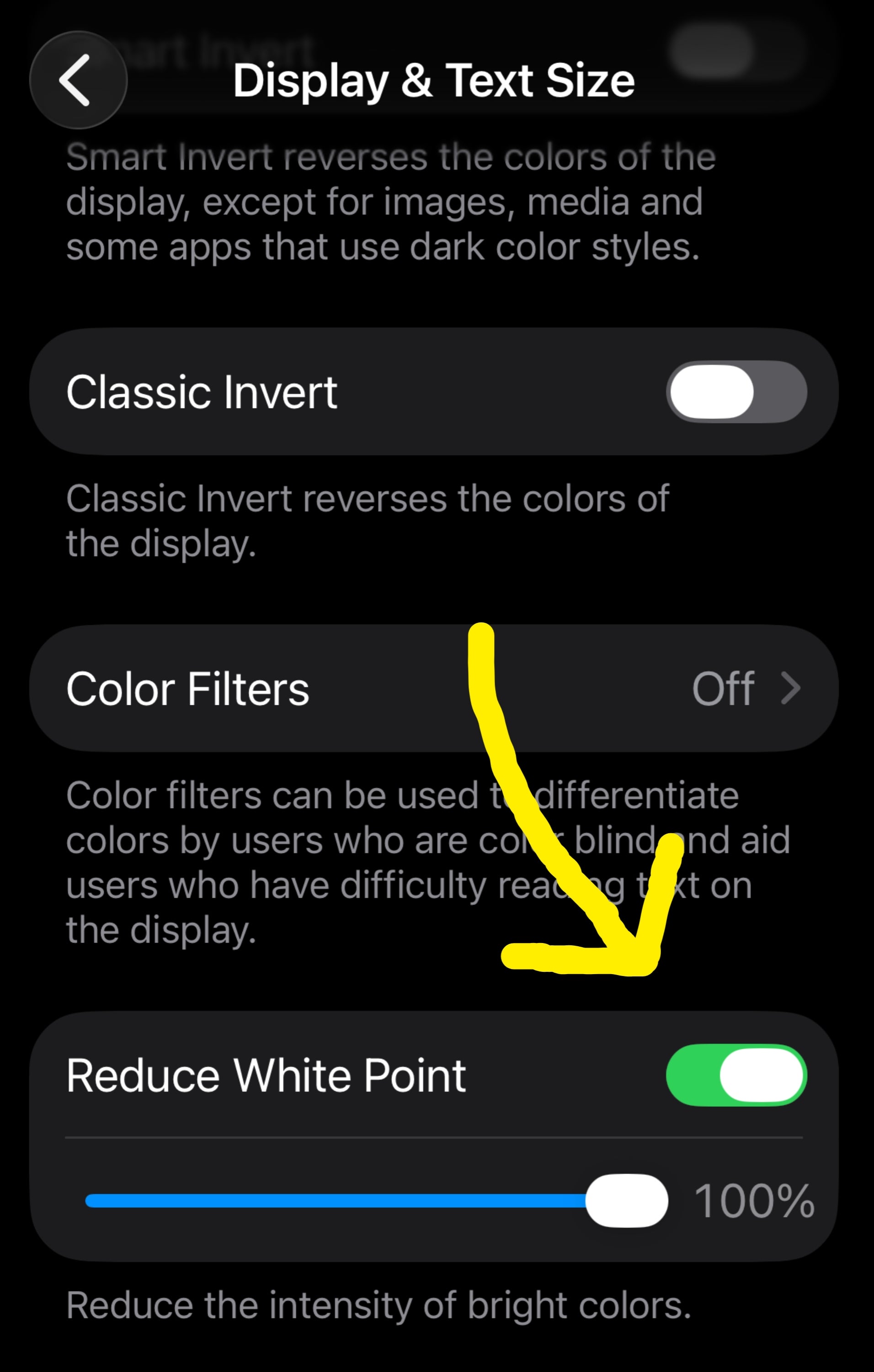
"You can even make this process a shortcut so you don't have to do it manually every time. To do so, go to Settings > Accessibility > Accessibility Shortcut. Select Reduce White Point. Now, you can swap between normal display and ultra dark mode by triple pressing the power button. You’re welcome."

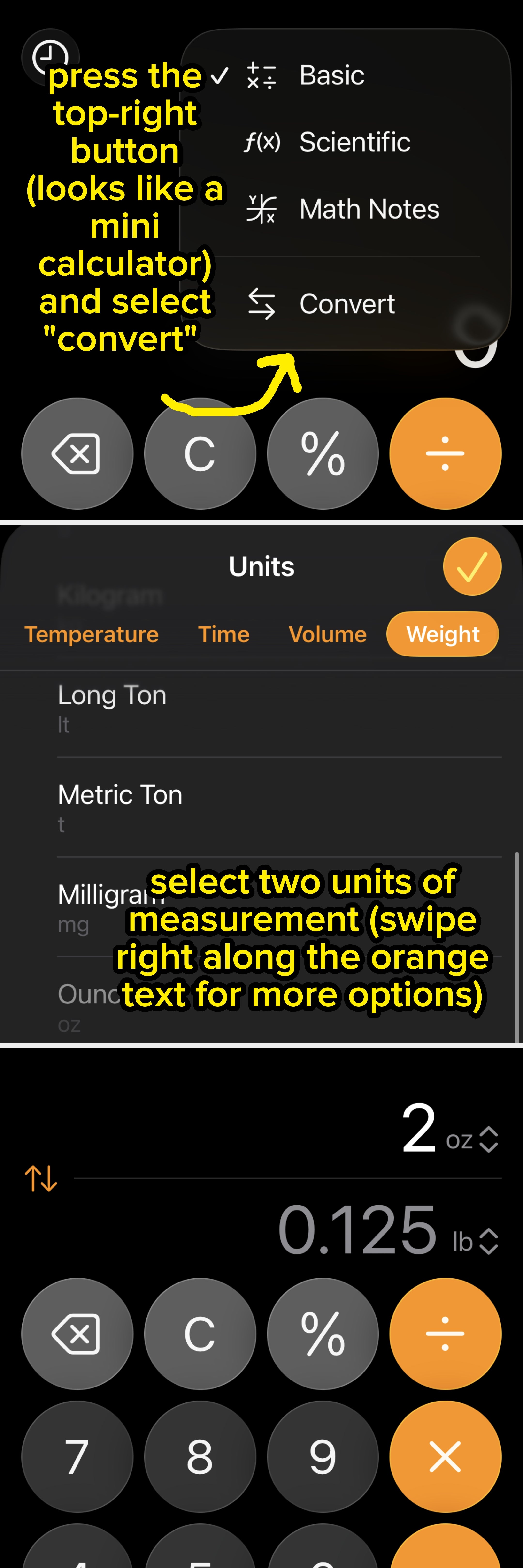
This tool allows you to convert tons of things, from weight and temperature to time and currency. To turn your calculator back to "normal," click that same top-right button and deselect "convert." To change what you're converting, click on the measurement (in the case of the photo above, I clicked on "oz," and it'll bring you back to the conversion menu.

"There is a Magnetometer Sensor in our phones. It's mostly used to tell the maps app or compass which way is north or south. It can be used to detect metals as well."

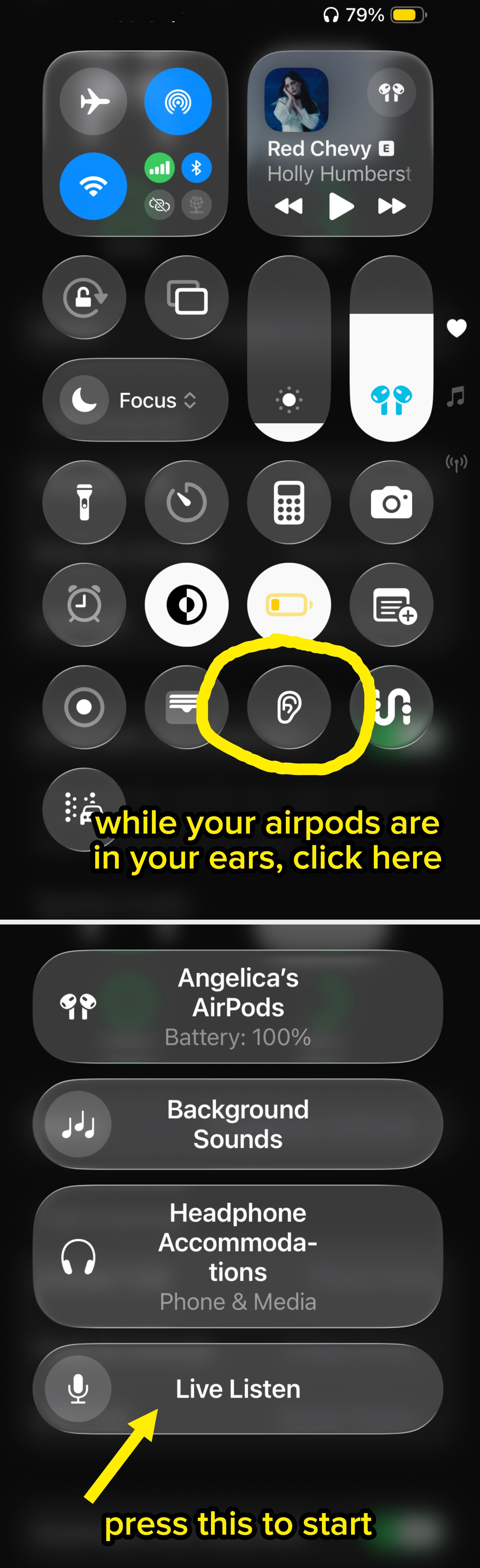
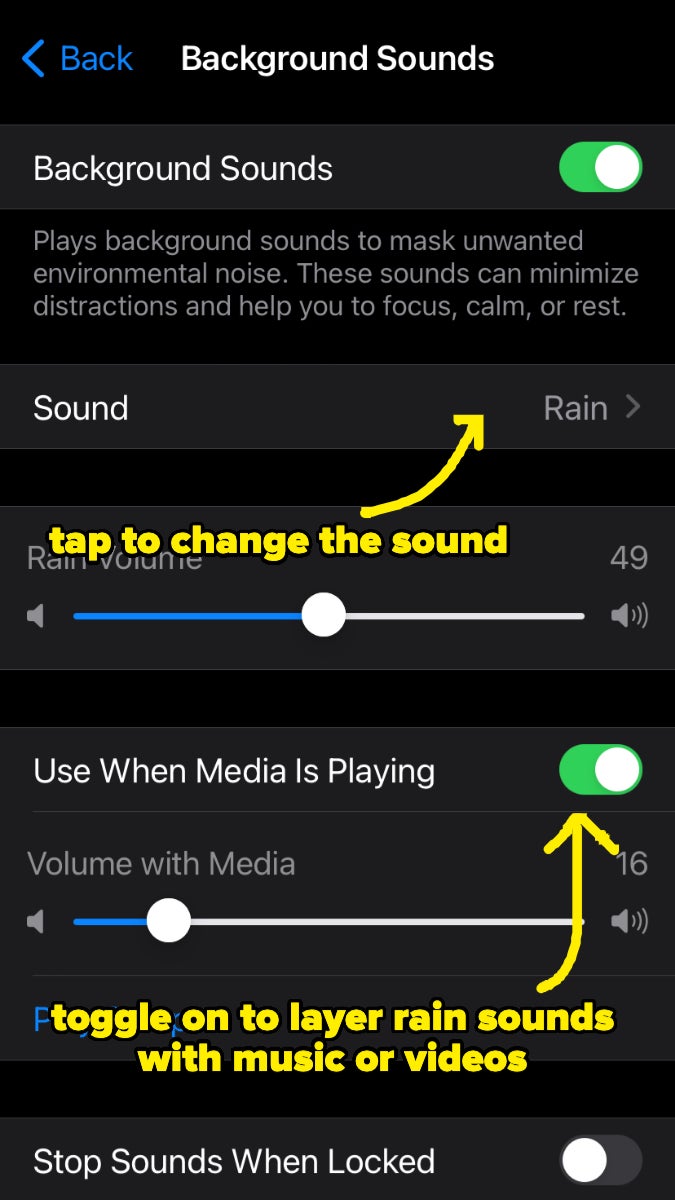
"I used to care for an elderly family member who had a sensor mat next to their bed, so when they got up, it would sound a beeping noise for me. However, the beeper had to be near their room. So, I could leave my phone with the beeper and then go off and do my cooking or cleaning and still know when they got up and could go to help."

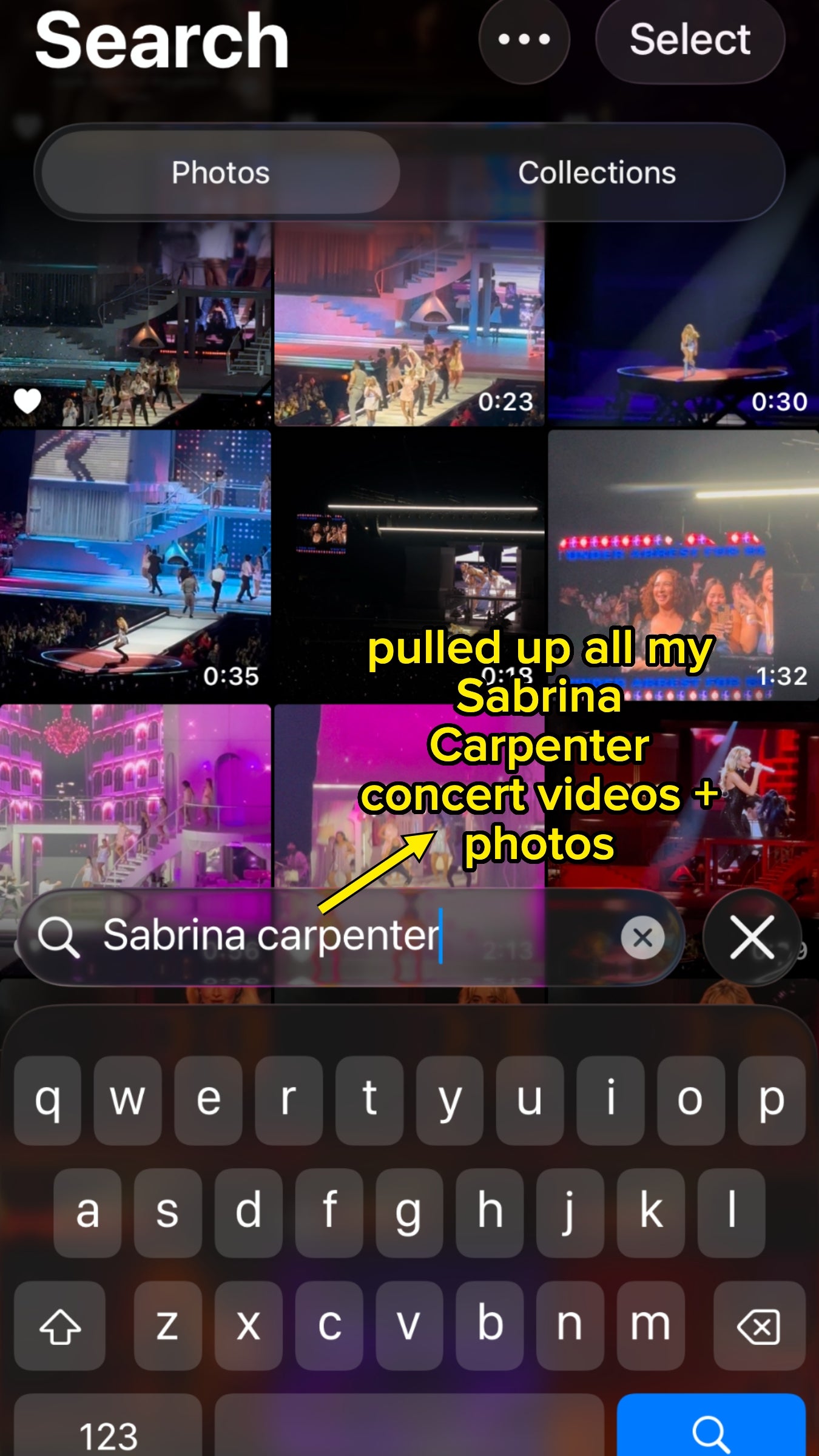
"I had a kid a couple of years ago and now can’t find any specific photos from during that time, because there are a million of her. I needed my passport info without getting off my ass. Searched 'passport' and it brought up a picture I took of my passport I had taken at some point in the past few years."

"I’ve lost so many Fire Stick remotes due to having children, and the remotes being small. I just use my phone for all of my TVs now."

You can set this up via the default "remote" app on your phone, or through apps specific to your TV provider.

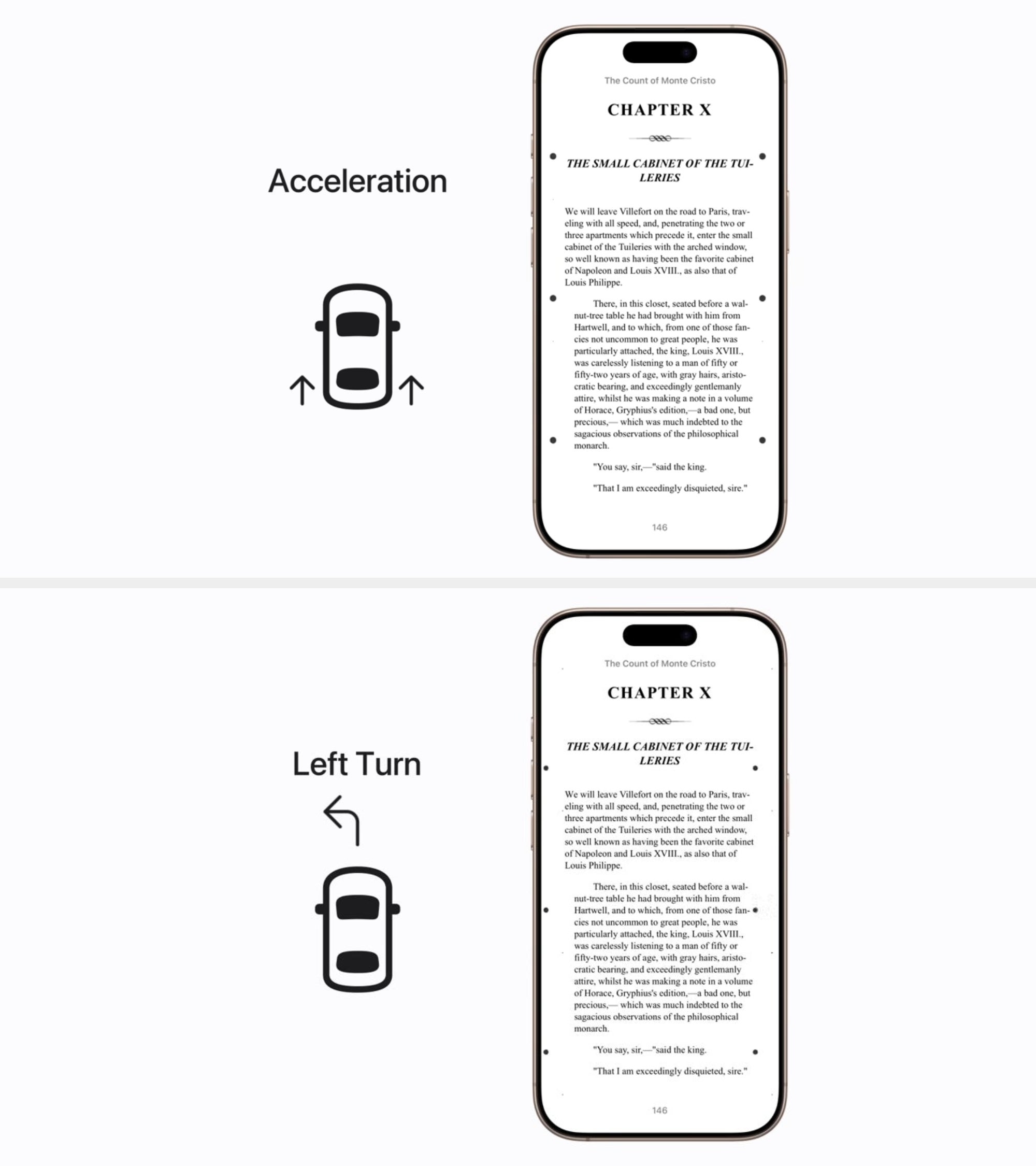
"My wife gets really bad motion sickness in the car, so if I’m driving and I ask her to look up a restaurant or something, she’d get nauseous within a minute or so. Now she uses her phone like normal! It’s not foolproof, but from my perspective it’s amazing!"

As a fellow motion sickness girlie, I can confirm this feature absolutely does help (and you get used to seeing the little moving dots rather quickly, IMHO!) You can turn this on in the accessibility menu (under motion), and even adjust the size, color, and number of dots.

"Can confirm this works on Samsung phones, too."

"I did this when we got to an empty train station in Latvia with a sign posted. We were connecting there and thought we were screwed. I translated the sign through the app, and it said, 'The station is not closed, just unmanned. Wait on the platform for the train to arrive and tell the conductor where you're going.' Without that function, I would've just been lost completely."

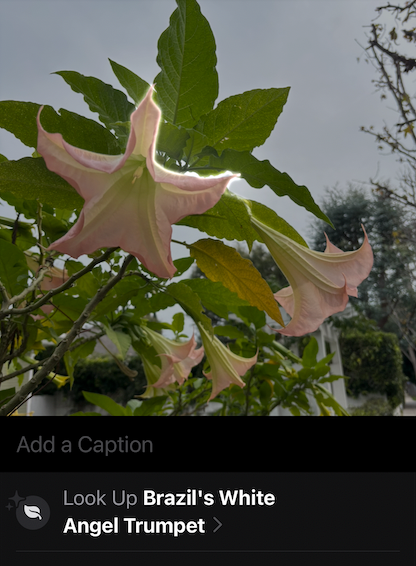
"Great when you're like, 'What a pretty flower! I wonder what kind it is!' or 'That's an interesting bird...never seen that before...' or 'This bug is clearly sent from the bowels of hell, what is it, oh my it's a Tarantula Hawk Wasp, save yourselves, our weapons are useless against it.'"

This is accessible in Settings under "Personal Hotspot".

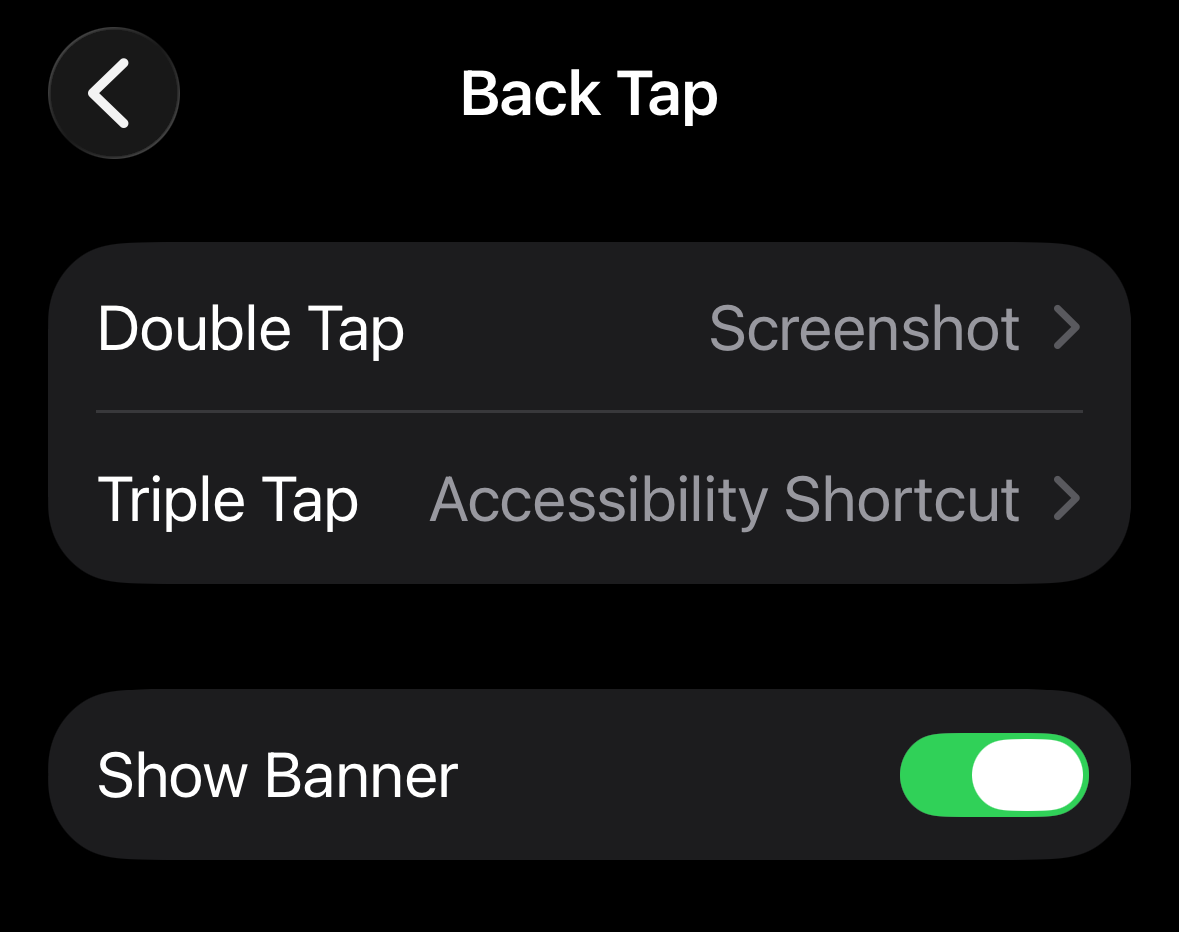
Follow these instructions in settings: Accessibility --> scroll down to "touch" --> scroll down to "back tap" and select what you'd like to set a double and a triple tap to do! For instance, I have double-tap set to take a screenshot, but you can also set it to do things like open the camera, mute your phone, or turn on the flashlight. Then, tap away at the back of your phone and see it in action!

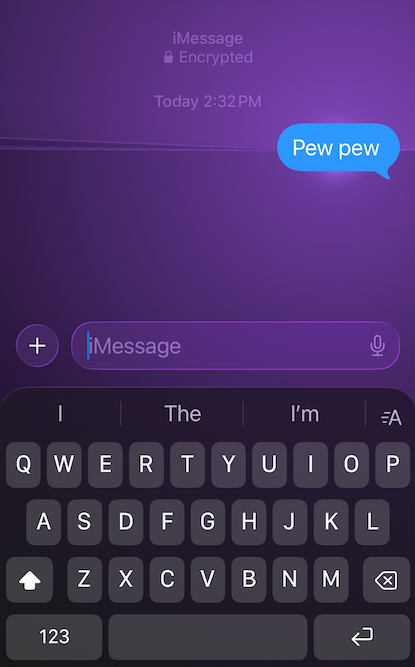
You can also browse all text effects by holding down the send arrow.